For staff
The AsCOLA course evaluation tool will enable staff members to collect and analyse Erasmus+ mobility students’ feedback of the courses taken while abroad. The course evaluations will be showcased through the EWP Dashboard.
Staff members can access the evaluations as long as their institution uses the EWP Dashboard for their OLAs, and the user has managing OLAs rights.
How to use results from course evaluations
Staff members looking to understand how to make the most out of the outcomes of the evaluation tool can find further insights in the following document (Turning Insights into Action: How to make effective use of the outcomes of the evaluation tool).
How to use the AsCOLA evaluation tool?
Please note that access to the Erasmus+ Dashboard is managed at Institutional level. If you are interested in accessing it, please refer to your International Relations Office (IRO) for further guidance.
How to log-in
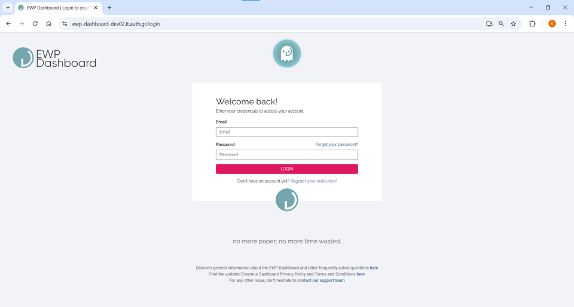
Log into the EWP Dashboard via https://ewp-dashboard.eu/login and fill out your email address and password.
How to view all course evaluations
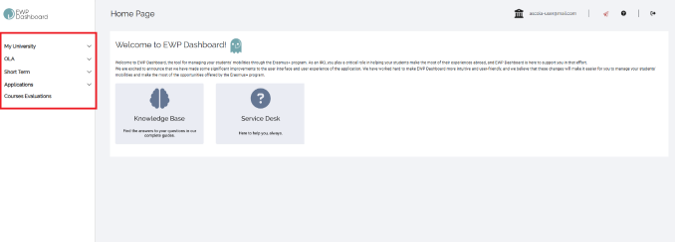
Go to the Course Evaluations tab via the menu on the left and select your preferred course.
- To easily find a specific course, apply filters using the blue button in the top right corner.
- You can find courses via Course Code and/or Course Title.
Note: Course titles are inserted from OLA and appear as they have been stated by students. This may differ from the course catalogue.
View the evaluation data of the selected course
On the evaluation page, you can find information about the course/evaluation on top of the page.
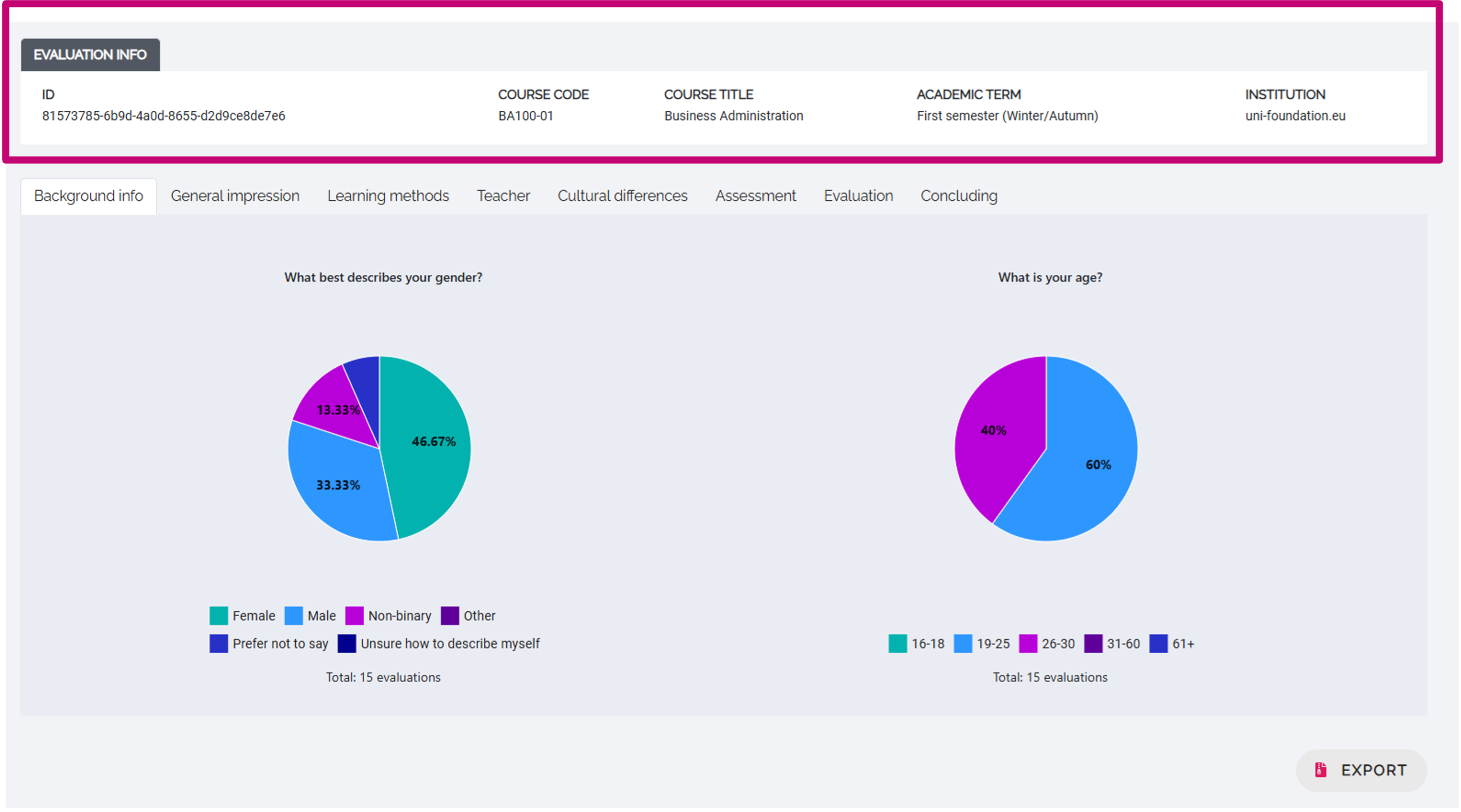
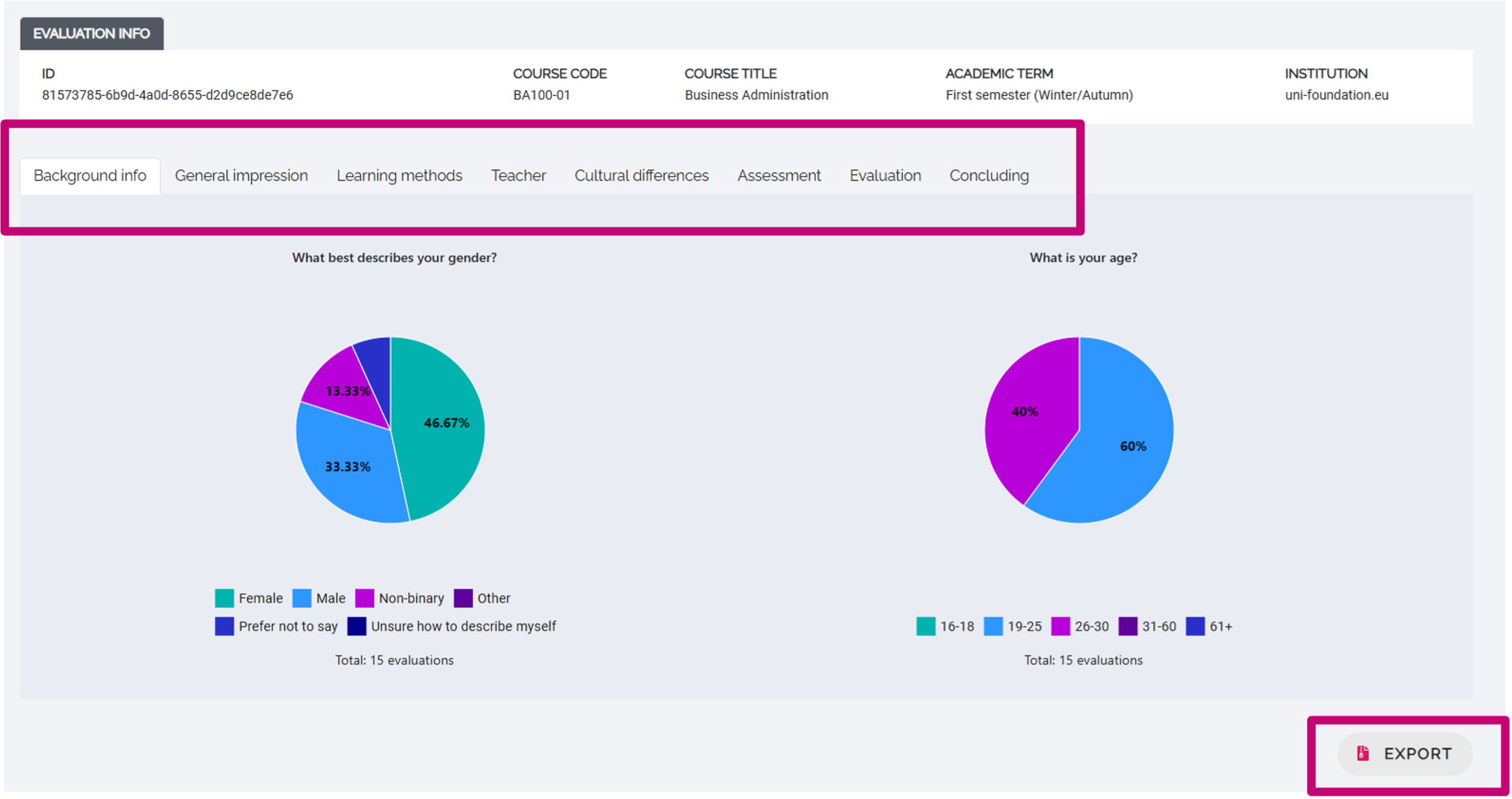
Data from the evaluation is collected per theme of the survey (background info, general impression, etc.). Click the tabs above the data to select and review a theme from the evaluation survey.
TIP: Don’t forget to scroll down on the pages to not miss any data; some results may take up more space than the screen allows for!
You can export all data from the evaluation at once by clicking the EXPORT-button in the bottom-right corner.
TIP: Want to find out more about how to interpret the data and translate it into practice, read our guide on how to make effective use of the outcomes of the evaluation tool.